Catchify
Cameron S Humphries
Coming soon. Not for sale yet.
Catchify is a Spotify playlist catch-up in development by Cameron S Humphries. It finds newer songs from artists already in your playlists. You pick the ones you missed, and only then add them to a playlist. It is not for sale yet.
What it can do
Catchify is an inbox, not an auto-updater. A scan never writes a playlist. Adding is the step that does. It is for catching new songs from artists you already keep, one track at a time.
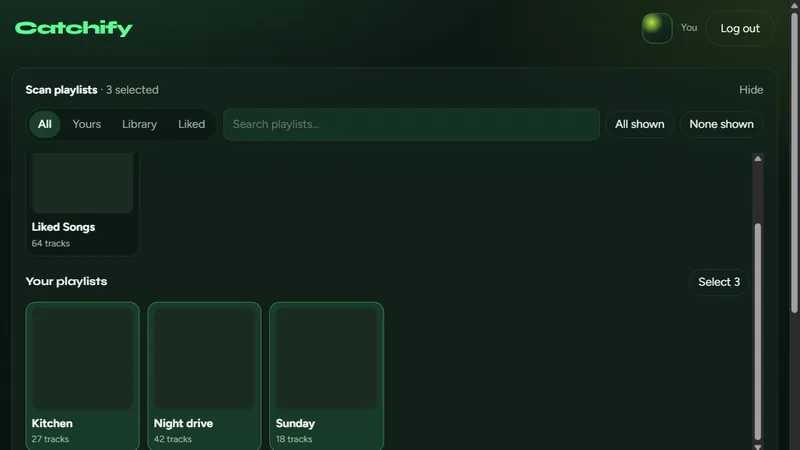
- Log in with Spotify and pick the playlists to watch, including liked songs.
- Filter the sources to all, yours, the library, or liked, and search the playlist names.
- Find missed music since the last added release for each artist, or inside a time window from a day to a year, or from a date you set.
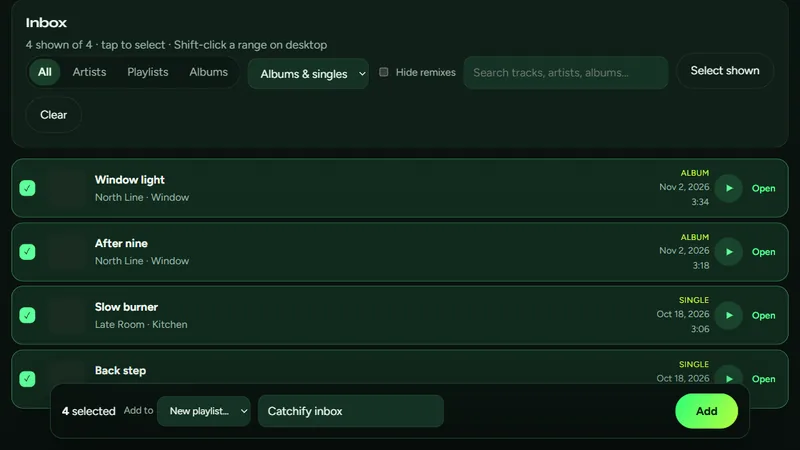
- The inbox lists tracks that are not already in the playlists you scanned.
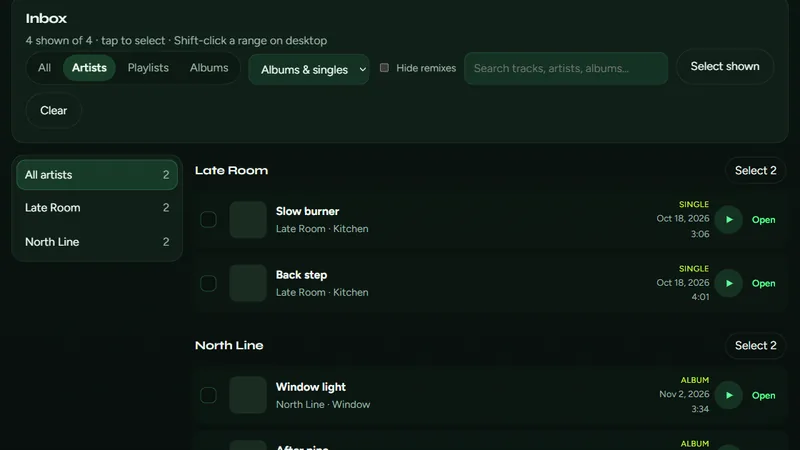
- Group that inbox by artist, playlist, or album. Keep albums, singles, or both, and hide remixes. Search the names.
- Click, Ctrl-click, or Shift-click a range to select.
- Add the selection to a new playlist or one you already have. The new playlist starts as Catchify inbox, and you can rename it.
- You can play a preview of a track before you add it.
On this device
Catchify has no server and no account of its own. After you log in, the Spotify tokens stay in this browser so you stay signed in. Log out to remove them. Catchify does not show ads.
FAQ
What is Catchify?
Catchify is a Spotify catch-up by Cameron S Humphries. It lists newer songs from artists already in the playlists you pick, and you choose which ones to add.
What can Catchify do?
You pick playlists, including liked songs. Catchify finds tracks that are not already in those playlists, since the last added release for each artist or inside a time window you set. The inbox can be grouped by artist, playlist, or album, and filtered to albums, singles, or tracks that are not remixes. Click, Ctrl-click, or Shift-click to select, then add the selection to a new playlist or one you already have.
Does Catchify need an account?
Catchify has no account of its own. You log in with Spotify. The tokens stay in this browser.
Where do the playlists go?
Catchify has no server. A scan only reads Spotify. A playlist changes when you add the tracks you selected. Tokens stay in this browser until you log out, and you can also revoke access in your Spotify account.
Where can I download Catchify?
Catchify is not available yet. It is being built to run in the browser, including as an installed site on Windows, Android, or iPhone. It is not on the Microsoft Store.
How much does Catchify cost?
Catchify is not for sale. There is no subscription and no in-app purchase.
Support